
LET’S GET YOU BACK TO CREATING
A little help,
whenever you need it.
Find an answer, untangle a detail, or say hello. We’re here to help.

Why can’t I see my photos?
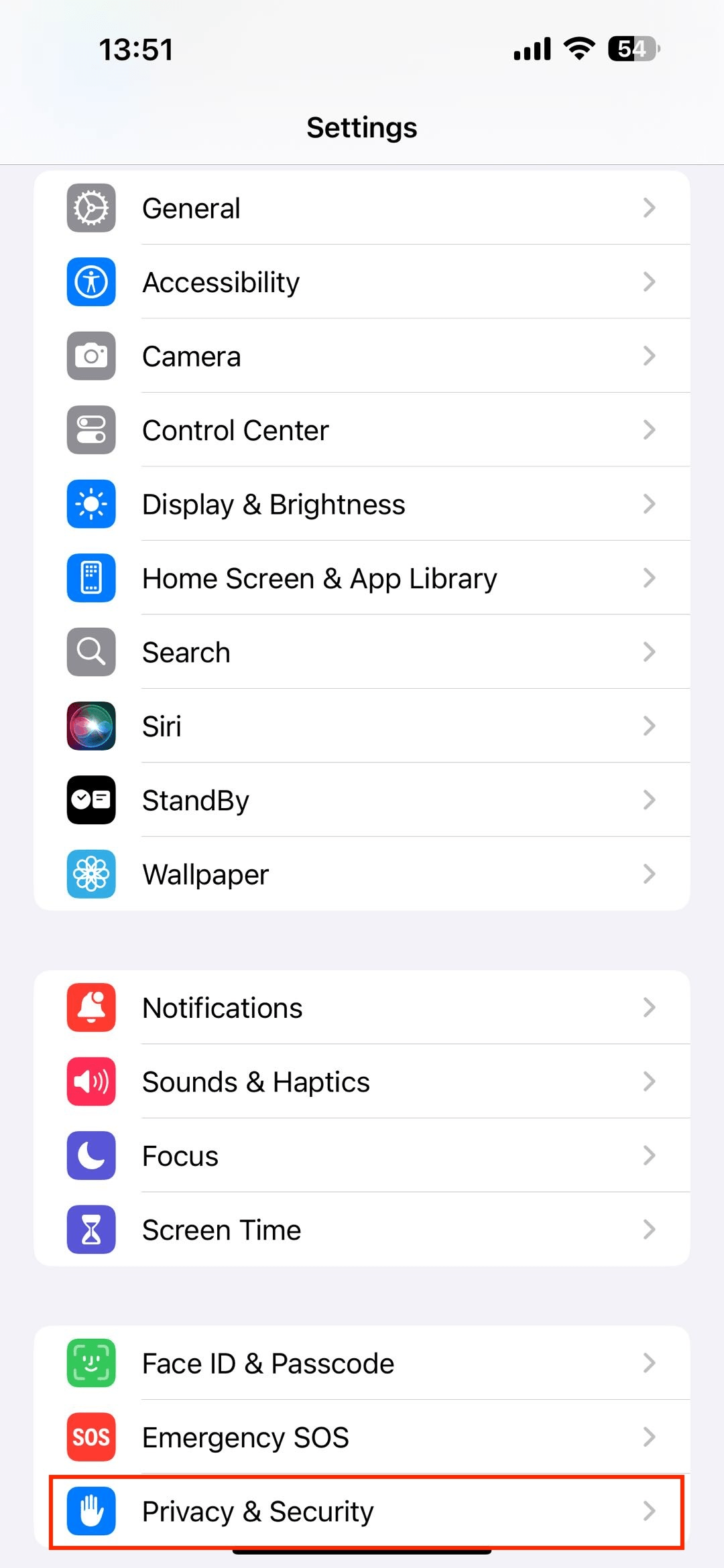
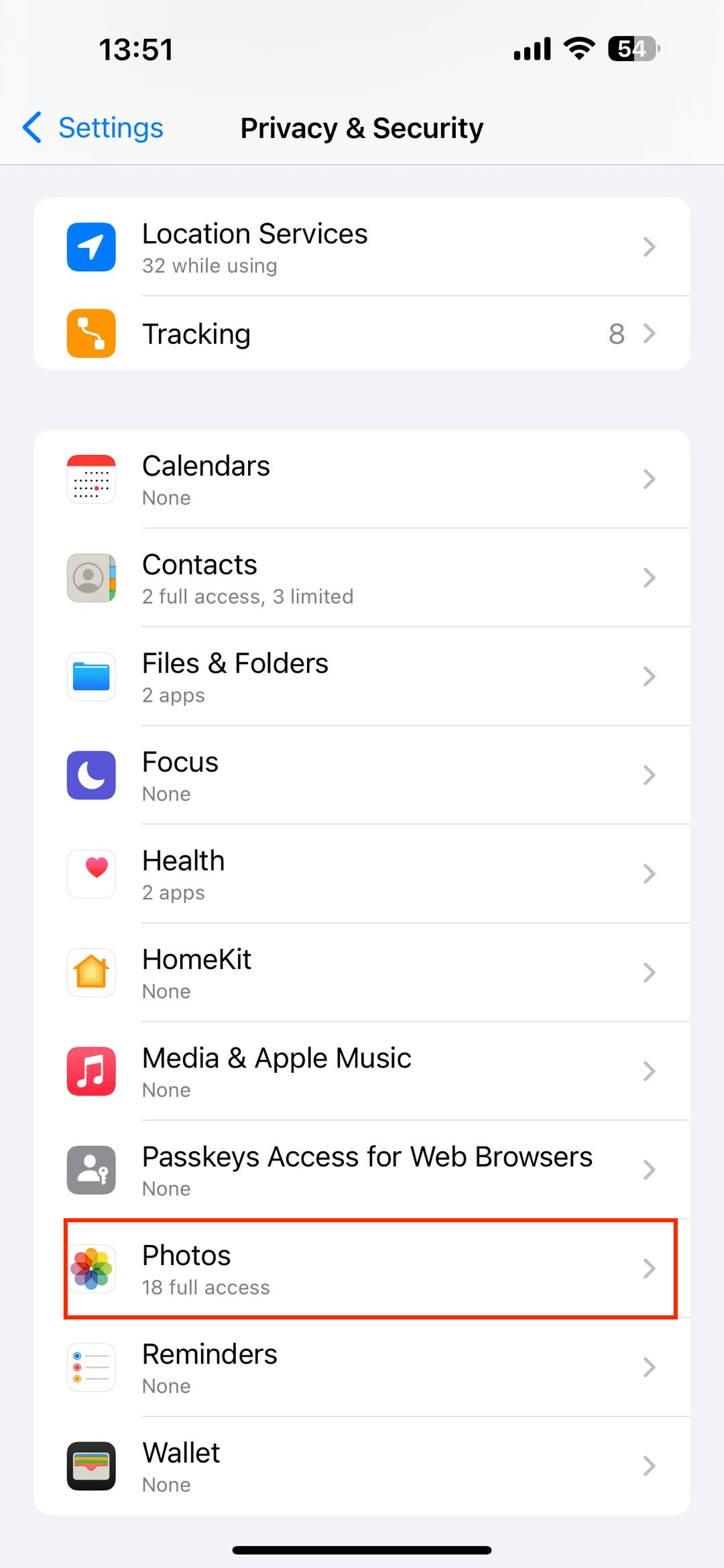
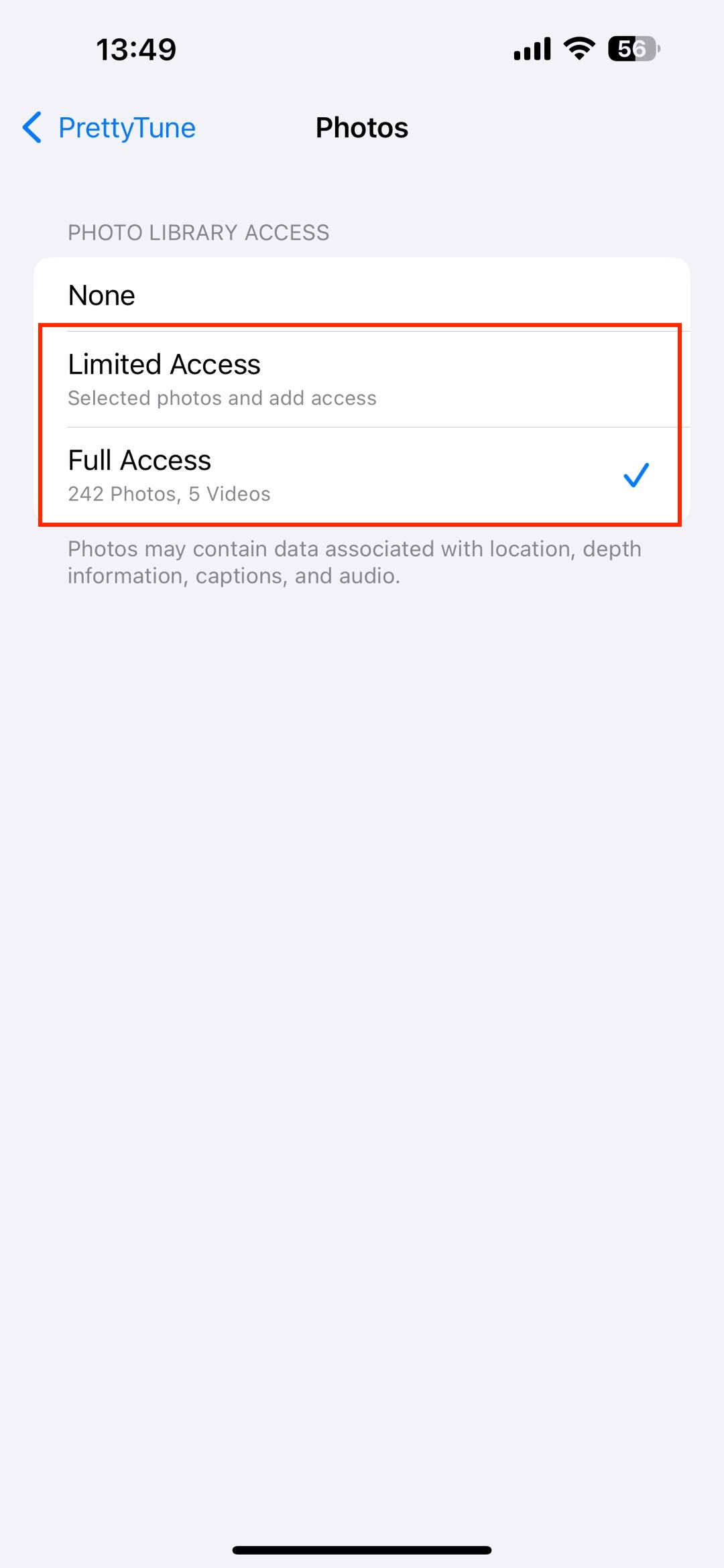
Check PrettyTune’s Photos permission in iPhone Settings. If access is limited, allow access to the photos you want to edit. If an iCloud photo cannot be loaded, check your connection and try again.
Why does my saved photo look blurry?
Start with a clear original photo and compare the saved image directly in the Photos app. Images sent through other apps may be compressed. If the saved image itself looks wrong, contact us with the editing tool used and your App and iOS versions.
What if PrettyTune closes unexpectedly while editing or
saving?
Reopen PrettyTune and check that your iPhone has available storage. If the issue continues, tell us which editing tool you used, the steps before the crash, and your App and iOS versions. A screen recording with private information removed can help us investigate.
How do I restore my membership after subscribing?
Use the Apple Account that made the purchase. Open PrettyTune’s membership purchase screen and choose Restore Purchases. If your membership is linked to a PrettyTune account, sign in to that account as well. If it is still missing, contact support.
Consumable credits are not restored in the same way as subscriptions. Contact support if purchased credits have not arrived.
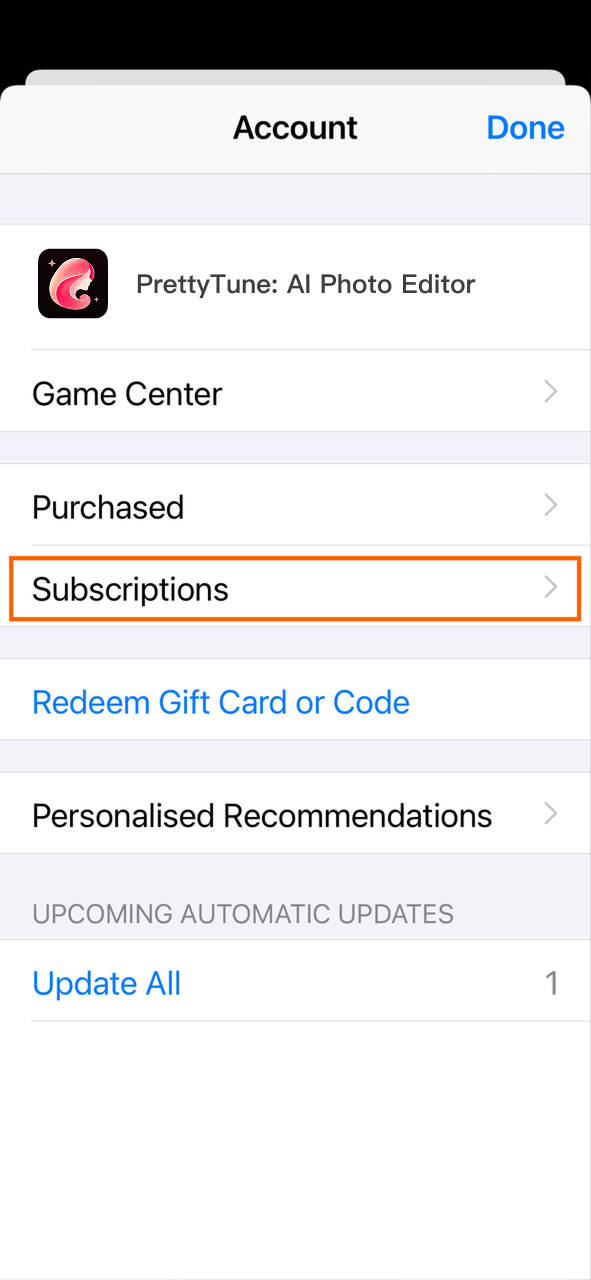
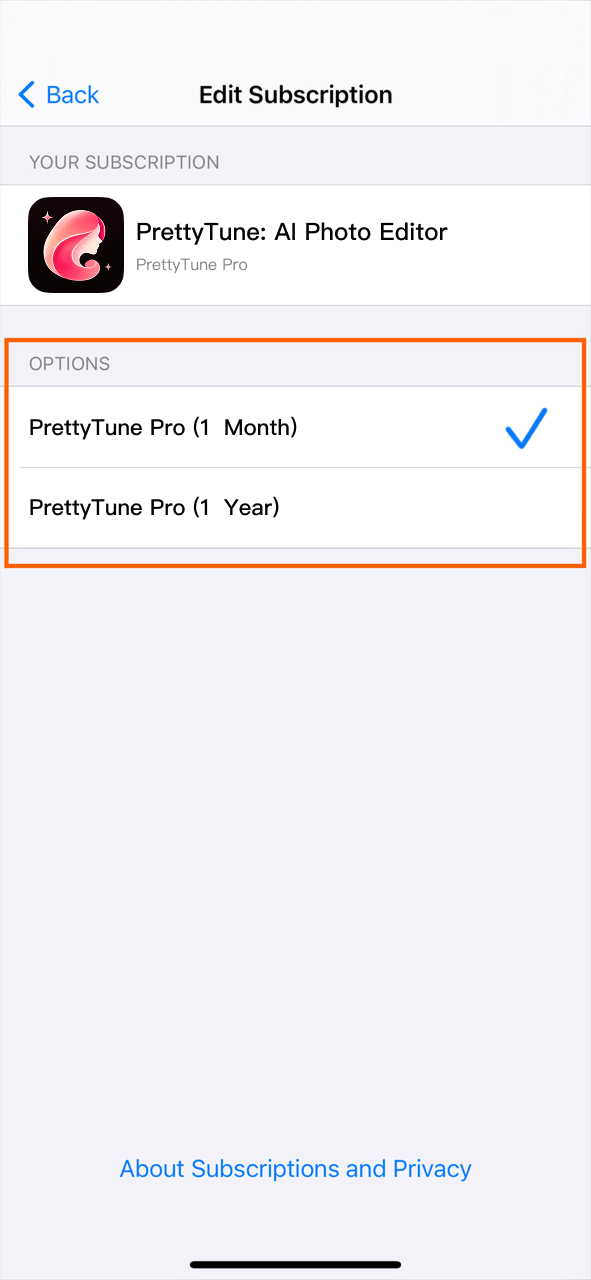
How do I cancel my subscription?
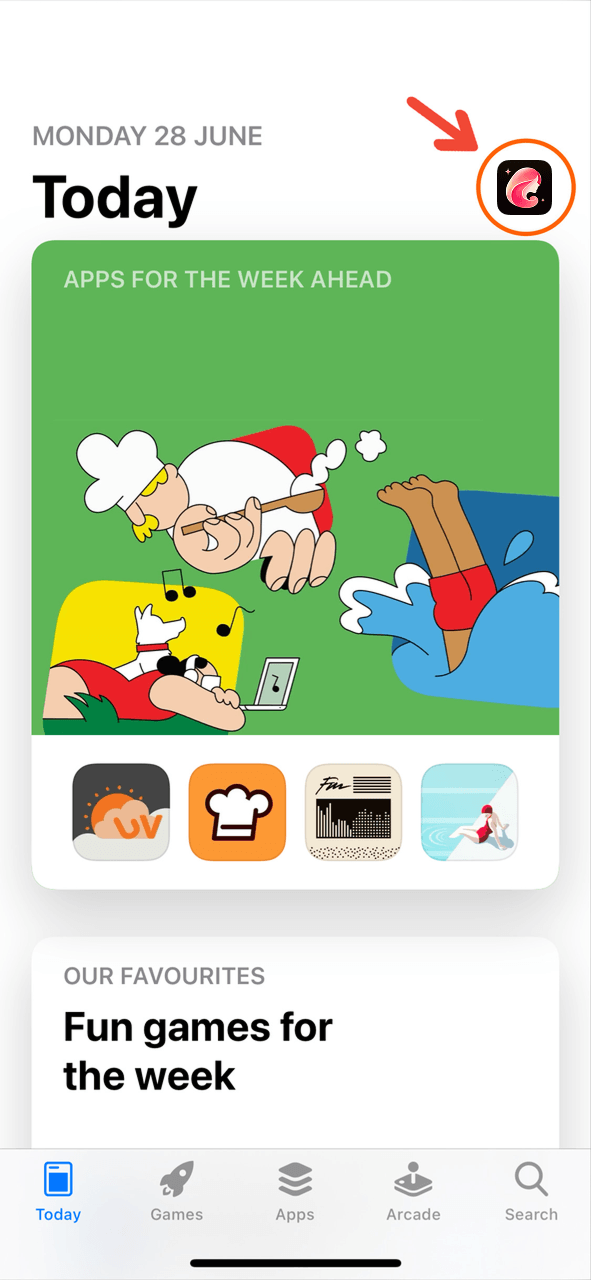
Open iPhone Settings → your name → Subscriptions → PrettyTune, then choose the cancellation option shown by Apple. If you do not see the subscription, check the Apple Account used for the purchase.
Why was I charged after a free trial?
If your subscription includes a free trial, it renews automatically unless canceled. To avoid renewal, cancel at least 24 hours before the trial ends. Open iPhone Settings → your name → Subscriptions → PrettyTune. Deleting the app does not cancel the trial or subscription.
Why am I still charged after deleting the app?
Deleting PrettyTune does not cancel an Apple-billed subscription. Manage or cancel it in iPhone Settings → your name → Subscriptions → PrettyTune.
How can I prevent accidental purchases?
Use Apple’s Screen Time purchase restrictions to manage purchases on your device. If you also need to cancel a PrettyTune subscription, do so separately in your Apple Account subscription settings.
How do I change my username or reset my password?
Open Settings from the home screen, enter your account page, and tap Username to edit it. If you registered with email, use the password reset option on the sign-in screen. For Apple or Google sign-in, manage that account’s password with the corresponding provider.
How do I delete a project?
Open Projects and tap Select. Choose the items you want to remove, tap Delete, and review the confirmation before continuing. Deleted work cannot be recovered.
Where can I read the privacy policy and terms?
Read our Privacy Policy and Terms of Service using the links below or in the website footer. For a privacy question, contact support@prettytune.ai.
Let’s figure it out together.
No matching questions yet. Try another word, view all questions, or send us a message.
Contact supportA REAL PERSON, A LITTLE HELP
Still a little stuck?
Let’s talk.
Tell us what’s happening. Your App version, iOS version, and a brief description are a great place to start.
Email the team
OUR INBOX IS OPEN
support@prettytune.ai
Please leave out passwords, verification codes, and sensitive photos.